

Please ensure Javascript is enabled for purposes of website accessibility

Digital Wallet

Smart phone? Check.
Lighter wallet? Double-check.

Artistic scribble and dots

An Easier Way to Pay,
At Your Fingertips

Making the switch to a digital wallet doesn’t have to be daunting. First Eagle breaks down how this easy-to-use technology works, how it makes paying on the go easier than ever, and how to get started today.
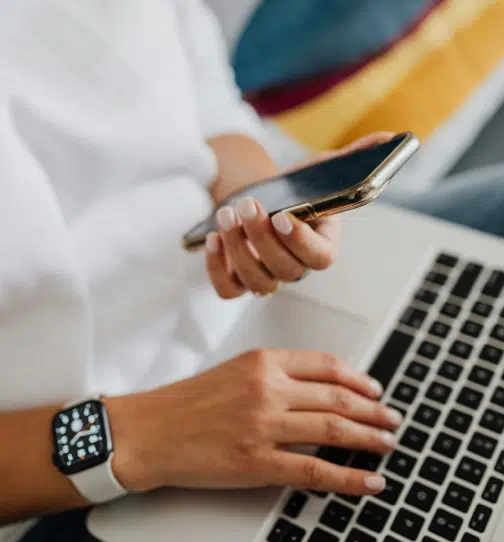
Person sitting with laptop on lap and cell phone in hand
Woman using mobile device in one hand and holding credit card in another

What is a Digital Wallet?

A digital wallet uses your smart phone (or tablet, or computer) to save your cards and pay at thousands of merchants nationwide. Think of it as an electronic version of your financial accounts! Use your digital wallet to make contactless payments without cash – or your physical wallet – for in-store, online and in-app purchases.

You’re going to love the convenience of contactless payments! Let’s get you started →

Set-Up Your Digital Wallet

First Eagle Debit Cards and Credit Cards can be added to Apple Pay, Google Pay and Samsung Pay. Simply open or download your device’s preferred app (scroll down and click the ‘Get Started’ button for individual device info) and follow the prompts to add the First Eagle card(s) you want to use for payments. You’re all set for a new way to pay!
Woman celebrating success with laptop

Compatible Wallet Apps

Apple Pay logo
Google Play logo
Samsung Pay logo

How to Use Your Digital Wallet

Accessing your digital wallet from your phone involves unlocking your phone. If you set up two-step authentication, unlocking your phone will require a password/passcode and often a biometric factor, such as fingerprint or face ID, as an extra layer of security.

TIP: There are other steps you can take to help prevent digital wallet fraud if your phone or device gets lost or stolen. If you contact First Eagle, you can request to put a freeze on the cards in your digital wallet, just like you would for physical cards, or you can do it yourself in Online or Mobile Banking.

In-Store Purchases at Check-out

Make sure the card terminal has near-field communication (NFC), which signals communication between your phone and the reader so your payment data can be transmitted. Hold your phone with the back facing close to the reader; your digital wallet app should automatically open to initiate and complete the transaction.

TIP: You’ll know if the card reader has NFC if you see a horizontal Wi-Fi symbol, which verifies contactless functionality. You can also look for your digital wallet app logo.

Online Purchases

Shopping online with your digital wallet is quick and seamless. Once you’ve added items to your cart and you’re ready to check out, see if your digital wallet logo is a payment option. If so, click on it to complete your transaction; no need to enter in the card information.

In-App Purchases

When you purchase something within an app, that simply means you buy content, services or additional features while using an application on a device such as a tablet or smart phone. This kind of purchase could include anything from mobile games to food delivery services.

Man smiling while using smartphone

DID YOU KNOW? Your digital wallet is safer and more secure than plastic. Merchants never see your real card number, and there’s no card to leave behind on accident.

You’ve got questions. We’ve got answers.

Will my First Eagle Mastercard(c) work?
Yes! It can be connected to your Digital Wallet exactly like any other credit or debit card—Zero difference.
You can always keep one card as backup (but realistically, when’s the last time you let your battery run out?)
Yes, digital wallets are safe and considered more secure than physical cards because encryption and tokenization provide enhanced levels of security. Any personal information you add to your digital wallet is converted into a code (encrypted) that only you, or anyone you give authorization, can access. And if you lose your phone, you can lock it remotely.
No, it’s up to you. The digital wallet is simply a convenient option for quick, easy and secure payments. Use it at a number of merchants and for many in-app purchases.
You can always check with First Eagle to find out which method you used to pay, digital or traditional. When you pay using digital payments, your card information is not stored or transferred to the merchant. Your card data is protected. If you want to update your card, the process is simple – just delete our card from your payment app. Then, add the card back to the payment app as if you were doing it for the first time. The digital code associated with your card will be deleted and a new one assigned.

You do not need to pay to use our digital wallet; however, like all transactions, merchants may still charge a credit card processing fee (depending on the purchase). Mastercard may impose a fee for foreign credit card transactions. A foreign transaction is any transaction that you complete or a merchant completes on your card outside of the United States. Transactions completed by merchants outside of the United States are considered foreign transactions, regardless of whether you are located inside or outside the United States at the time of the transaction.

Questions? We're here to help.

You are now leaving First Eagle FCU

First Eagle FCU provides links to web sites of other organizations in order to provide visitors with certain information. A link does not constitute an endorsement of content, viewpoint, policies, products or services of that web site. Once you link to another web site not maintained by First Eagle FCU, you are subject to the terms and conditions of that web site, including but not limited to its privacy policy.

You will be redirected to

Click the link above to continue or CANCEL